
FAQ Schema After Google Dropped FAQ Rich Results: Is It Still Worth Adding?
Google retired FAQ rich results in May 2026. What changed, what FAQPage markup still does, and a decision guide for keeping, removing or adding it on a WordPress site.
 Keyur
10 min read
On this page
For Google Search, FAQ schema is no longer worth adding to win a rich result. Google stopped showing FAQ rich results on 7 May 2026 and removed the documentation on 15 June 2026. That followed a 2023 change that had already limited them to well-known government and health websites. FAQPage is still valid Schema.org markup, and it does no harm on a page that genuinely shows questions and answers. But there is no visible Google feature left to gain. For most sites the better investment is a clear, well-structured FAQ section for readers, plus the structured data types Google still supports.
This post sets out what changed and when, using Google's own changelog. It covers what FAQ markup can still do, how to decide whether to keep, remove or add it, and how to check what your WordPress site currently outputs. It replaces earlier advice, including on this site, that FAQ markup was worth adding for the expandable search result.
What changed, and when
Google's Search Central changelog records the history:
Table: FAQ rich results timeline (from Google's Search Central changelog)
| Date | Change |
|---|---|
| August – September 2023 | FAQ rich results limited to "well-known, authoritative government and health websites". HowTo rich results stopped showing on desktop and mobile. |
| 8 May 2026 | Deprecation notice added to the FAQ documentation: the feature "will no longer appear in Google Search starting May 7, 2026." |
| 15 June 2026 | FAQ rich result documentation removed, because the feature "is no longer shown in Google Search results". |
Google's search gallery, which lists the structured data features it currently supports, no longer includes FAQ or HowTo. Its general structured data documentation still describes how to use JSON-LD, so the change affects this one feature, not structured data as a whole.
<h2
What FAQPage markup looks like
For reference, this is a minimal, valid FAQPage block for an illustrative web design studio. We checked it against the Schema.org vocabulary (release 30.0).
{
  "@context": "https://schema.org",
  "@type": "FAQPage",
  "mainEntity": [
    {
      "@type": "Question",
      "name": "How long does a website redesign take?",
      "acceptedAnswer": {
        "@type": "Answer",
        "text": "Most small-business redesigns take six to ten weeks from the discovery call to launch."
      }
    },
    {
      "@type": "Question",
      "name": "Do you migrate existing content?",
      "acceptedAnswer": {
        "@type": "Answer",
        "text": "Yes. We move pages, posts and images, and set up redirects from old URLs."
      }
    }
  ]
}
The types and properties are unchanged on Schema.org. What has changed is that Google no longer turns them into a search feature.
Does FAQ schema still do anything?
- No Google rich result. That was the main reason most sites added it, and it is gone.
- Still valid structured data. It describes the page accurately, and tools that read Schema.org can parse it.
- Other consumers may read it. Schema.org markup is a shared vocabulary, and other search engines and tools can use it as they choose. We could not find current documentation from them promising a feature, so do not add it expecting one.
- No ranking effect to lose. Google has not described structured data as a ranking factor, so removing FAQ markup should not change rankings by itself.
The visible FAQ section is a different matter. Questions and answers on the page still help readers who skim, and well-written questions as headings make the page easier to navigate.
<h2

Before you decide
- Find out what your site outputs now. Run a few pages through the structured data checker, which lists every JSON-LD block and type.
- Find the source. FAQ markup in WordPress usually comes from an SEO plugin's FAQ block, a schema plugin, a theme or page builder accordion, or code someone added by hand.
- Check that it matches the page. Google's general guidelines say structured data must represent content visible on the page. FAQ markup on pages with no visible FAQ, or with different wording, should go regardless.
- Note who maintains it. Every block of markup is something to keep in sync when the page changes.
Keep, remove or add: a decision guide
Table: What to do with FAQ markup
| Situation | Recommendation |
|---|---|
| Markup matches a real, visible FAQ and comes from a plugin block you already use | Keep it if it is maintenance-free. It is accurate and harmless. |
| Markup was hand-coded and must be updated separately from the page | Remove it next time you edit the page. It costs effort and gives no Google feature. |
| Markup describes questions that are not on the page, or differ from it | Remove it now. It breaks Google's general guidelines. |
| Questions were added to pages only to get the rich result | Review the content. Keep questions that help readers; remove filler and its markup. |
| Planning a new FAQ section | Write it for readers. Adding markup is optional and low value; spend the time on content and supported types. |
| A government or health site that had FAQ results after 2023 | The feature is gone for these sites too. The same advice applies. |
Worked example: auditing a services site
An illustrative agency site has 40 service pages. Each has an accordion of five questions, and a schema plugin outputs FAQPage for every page. The audit:
- Inventory. The structured data checker shows
FAQPageon all 40 pages, alongsideOrganization,WebPageandBreadcrumbListfrom the SEO plugin. - Accuracy check. On 12 pages, the accordion was edited but the plugin's separate FAQ fields were not, so the markup no longer matches. Those 12 are removed first.
- Content check. On 18 pages, most questions repeat the same generic text ("Why choose us?"). The team rewrites those FAQs around real customer questions from sales emails.
- Decision. Because the plugin's FAQ fields need separate upkeep, the agency switches the plugin's FAQ output off and keeps the visible accordions, with questions as headings.
- Verification. A re-check shows no
FAQPageblocks and the other types intact.
The result is less to maintain, more useful FAQ content, and nothing lost in Google Search.
How to remove FAQ markup in WordPress
- SEO plugin FAQ blocks. Yoast SEO's FAQ block, for example, adds
FAQPageto the page's schema whenever the block is used; its source code ties the FAQ schema piece to the presence of that block. To stop the markup, replace the block with ordinary headings and paragraphs. Check your plugin's documentation for a setting. - Schema plugins. Look for FAQ or "Q&A" schema options and disable them, per page or site-wide.
- Theme or page builder accordions. Some accordion or toggle widgets have an option to output FAQ schema. Turn it off in the widget's settings.
- Hand-coded JSON-LD. Delete the
<script type="application/ld+json">block from the page, template or must-use plugin that adds it.
After any change, clear caches and check the page again with the structured data checker.
If you still want to add it
There can be reasons: you publish to platforms that read FAQPage, or your own tools use the markup. If so, keep it accurate and simple:
- Write the questions and answers on the page first.
- Generate JSON-LD from the exact visible text. The FAQ schema generator builds a
FAQPageblock from question-and-answer pairs. Expect no Google rich result. - Validate the syntax with the JSON validator and the vocabulary with the Schema Markup Validator at validator.schema.org.
- Use one
FAQPageper page, on the page that shows the questions. - Update the markup whenever the visible answers change.
Better uses of the effort
- Write FAQs people actually ask. Use questions from customer emails, support tickets and sales calls, not invented ones.
- Use questions as headings. A heading per question makes the section scannable and easy to navigate with a screen reader; our guide to heading structure explains the levels.
- Answer in the first sentence. Then add detail. That suits readers and any system that extracts answers from text.
- Invest in supported structured data. Organization, Breadcrumb, Article, Product, LocalBusiness and others are still in Google's gallery. Our guide to schema markup covers which types fit most sites, and the schema markup generator builds them.
Verify your site after changes
- Check three or four representative pages with the structured data checker.
- Confirm the types you meant to keep are still there and the ones you removed are gone.
- Run Google's Rich Results Test on a page to confirm the remaining markup has no errors.
- Watch Search Console's rich result reports for the types you still use.
Common mistakes
- Adding FAQ markup in 2026 expecting expandable results in Google.
- Leaving markup that no longer matches the visible answers.
- Marking up hidden questions that visitors cannot see.
- Adding generic FAQs to every page purely for markup.
- Removing the useful visible FAQ section along with the markup.
- Assuming removal will hurt rankings; structured data is not described by Google as a ranking factor.
Troubleshooting
Table: FAQ schema questions in practice
| Situation | Likely reason | What to do |
|---|---|---|
| FAQ results disappeared from Google in May 2026 | The feature was retired | Nothing to fix; review the content on its merits |
| FAQ markup still appears after removing the block | Another source outputs it, or a cache | Find the source with the checker; clear caches |
| Two FAQPage blocks on one page | Plugin block plus theme or builder schema | Remove one source |
| Schema validator errors on FAQ markup | Missing acceptedAnswer or text |
Fix or remove the markup |
| Older articles still recommend FAQ schema for rich results | Written before 2026 | Treat that advice as outdated |
Frequently asked questions
Does Google still show FAQ rich results?
No. Google's changelog says the feature stopped appearing on 7 May 2026, and the documentation was removed on 15 June 2026.
Is FAQ schema still valid?
Yes. FAQPage, Question and Answer are still Schema.org types, and correct markup still validates. Google just no longer uses it for a search feature.
Should I remove existing FAQ schema?
Remove it if it does not match the visible page or needs separate upkeep. If it matches and comes from a block you already use, keeping it is harmless.
Will removing FAQ schema hurt my rankings?
Google does not describe structured data as a ranking factor, and the FAQ feature itself is gone, so removing the markup should not affect rankings on its own.
Is FAQ markup bad for SEO?
Not if it accurately reflects visible questions and answers. Markup that does not match the page goes against Google's general structured data guidelines.
What happened to HowTo rich results?
Google stopped showing them on both desktop and mobile in 2023, and HowTo is no longer in Google's search gallery.
Do other search engines use FAQ schema?
Other search engines and tools can read Schema.org markup, but we found no current documentation from them promising an FAQ feature. Do not rely on one.
Should I still add an FAQ section to pages?
Yes, when it answers real questions. A visible FAQ helps readers, and question headings make the page easier to scan and navigate.
Which structured data should I focus on instead?
Types Google still supports and that fit your pages: Organization, BreadcrumbList, Article, Product, LocalBusiness, Event and others in its search gallery.
How do I check whether my site outputs FAQ schema?
Run your pages through a structured data checker that lists JSON-LD types, or view the page source and search for FAQPage.
Next step
Check your most important pages with the structured data checker. Remove any FAQ markup that does not match the page, and put the effort into better visible answers and the structured data types Google still supports.
Related free tools for this topic
FAQ Schema Generator
Turn the questions and answers on your page into valid FAQPage JSON-LD you can paste into your site.
Website Word Counter: Count Words on a Web Page
Count the visible words on any web page and see its most frequent terms, without copying and pasting…
HTTP Headers Checker
View the HTTP response headers of any URL and check caching, compression and common security headers such as…
Redirect Checker: Trace Redirect Chains
Trace every redirect from a URL to its final destination, with the status code (301, 302, 307, 308)…
HTTP Status Code Checker
Check the HTTP status code a URL returns (200, 301, 404, 500…), how long it took and where…
Link Extractor: Internal & External Links
List every link on a page with its anchor text, internal or external type and rel attributes such…
Related resources

SaaS hero with dashboard preview
Two-column hero: headline, supporting text, two buttons and a trust line beside a visual panel. Stacks to one…
Centred SaaS hero with product window
Centred hero with a large headline, supporting text and two buttons, with optional highlights and a product window…
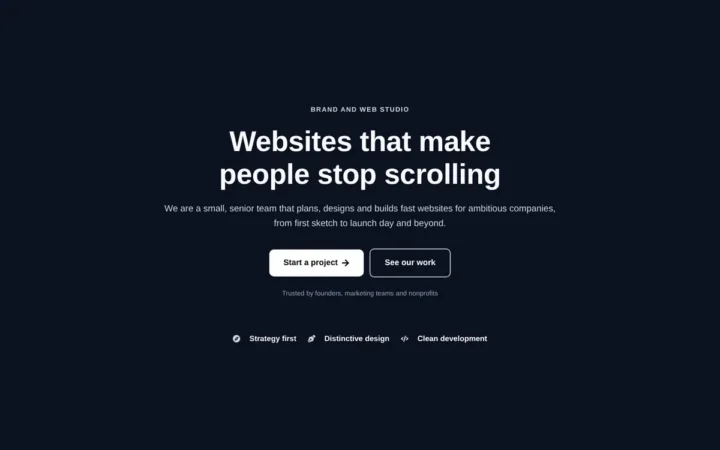
Dark studio hero with service highlights
Centred hero with a large headline, supporting text and two buttons, with optional highlights and a product window…
Related articles
Does Keyword Density Still Matter?
Google gives no target keyword density, but unnatural repetition counts as keyword stuffing. How density is calculated, what Yoast's check uses, and…
How to Add LocalBusiness Schema to a WordPress Site
Build LocalBusiness JSON-LD for a WordPress site: the right subtype, Google's required and recommended properties, awkward opening hours, a tested must-use plugin…
Elementor Free vs Pro: What You Can Build with the Free Version
What Elementor's free version includes, what Pro adds on each plan, a worked example of a brochure site built for free, and…
Related guides
How Long Should a Meta Title Be? Pixels vs Characters Explained
"Keep it under 60 characters" is only half right. Google cuts titles by pixel width, not character count. Learn how to write…
The Default WordPress .htaccess File (and Safe Additions)
The exact .htaccess rules WordPress needs for pretty permalinks, what each line does, tested additions for HTTPS and file protection, and a…
Fluid Typography in Elementor with clamp()
Setting a heading to 56 px on desktop, 44 px on tablet and 32 px on mobile works, but text jumps between…
Comments