Images to PDF Converter (JPG, PNG, WebP to PDF)
Turn screenshots, mockups, and loose images into one organized, properly sized PDF. Choose A4, US Letter, or fit…

SEO tools, WordPress utilities, developer tools, design tools, calculators and Elementor resources — free to use.
The tools people reach for most often, picked by hand.
Turn screenshots, mockups, and loose images into one organized, properly sized PDF. Choose A4, US Letter, or fit…
Combine multiple PDF documents into a single file directly in your browser. Reorder pages, keep your files private,…
Rearrange, rotate, delete or extract specific pages from any PDF document in your browser. Use visual page controls…
Convert PDF pages into crisp PNG or JPEG images in your browser. Choose resolution scale (1× to 3×)…
Shrink SVG icons, preserve the viewBox, remove fixed dimensions, and make vectors adapt to Elementor colours using currentColor.…
Design soft, natural box shadows with up to four layers and a live preview, then copy the CSS.
Check the HTTP status code, final URL and response time of up to 50 URLs at once, and…
Generate a CSS clamp() value that grows smoothly from a minimum size on small screens to a maximum…
Every tool belongs to one category, so you can always see what else is available.
Check titles and descriptions against how they appear in search results, generate structured data and robots.txt files, and analyse headings and keyword…
Generators for the configuration files and code WordPress sites need: .htaccess rules, wp-config.php, redirects, security headers and custom post types. The tools…
Format, validate, encode and convert data without sending it anywhere. JSON, Base64, URL encoding, hashes, UUIDs, timestamps and regular expressions are all…
Visual generators and converters for everyday CSS: shadows, gradients, border radius, fluid clamp() values, unit conversion and minification. Copy production-ready code with…
Convert colour formats, build palettes from colour harmony rules and check text contrast against WCAG 2 thresholds before you ship a design.
Compress, convert and resize images, create favicons and work out aspect ratios. Images are processed on your device with your browser's own…
Count words and characters, estimate reading time, change case, clean up and sort lines, and generate placeholder text. Your text stays in…
Build campaign URLs with UTM parameters and calculate ROI, ROAS, CTR, CPC, CPM, conversion rate, margins and discounts. Calculators show the formula…
Generate type scales and spacing systems as CSS custom properties, ready for a design system, a theme or Elementor global settings.
Heroes, headers, pricing tables, FAQs and full page kits. Each resource lists what it is compatible with and how it behaves on tablet and mobile.
Browse the Elementor library
Two-column hero: headline, supporting text, two buttons and a trust line beside a visual panel. Stacks to one…

Two-column hero: headline, supporting text, two buttons and a trust line beside a visual panel. Stacks to one…

Centred heading with six icon boxes in a three-column grid (two columns on tablet, one on mobile). Styled…
Shrink SVG icons, preserve the viewBox, remove fixed dimensions, and make vectors adapt to Elementor colours using currentColor.…
Convert PDF pages into crisp PNG or JPEG images in your browser. Choose resolution scale (1× to 3×)…
Rearrange, rotate, delete or extract specific pages from any PDF document in your browser. Use visual page controls…
Turn screenshots, mockups, and loose images into one organized, properly sized PDF. Choose A4, US Letter, or fit…
Combine multiple PDF documents into a single file directly in your browser. Reorder pages, keep your files private,…
Convert JSON to clean, readable YAML in your browser, with options for indentation and line width.
Convert YAML to formatted JSON in your browser, with clear error messages that point to the line and…
Generate clean, escaped WordPress code for the tasks developers repeat most: enqueueing scripts and styles, shortcodes, widget areas,…
Practical explanations, each linked to the tool that helps you do it.
Export PDF pages as PNG or JPEG images in your browser. Learn which scale to use for websites, slides and print, when…

The section under your hero is where visitors look for proof. Decide whether a logo strip, stats band or single testimonial fits…
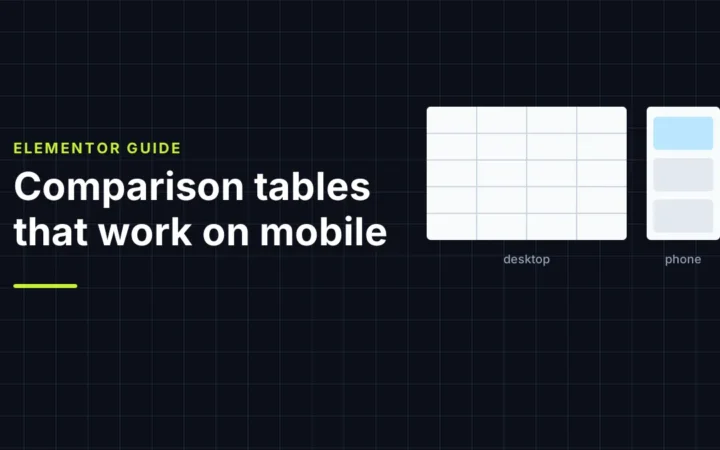
Comparison tables that look great on desktop often collapse on phones. Compare three mobile patterns (stacked cards, a sticky-column table and one…

MD5 is broken for collision resistance; SHA-256 is not, and on our test machine it was faster. Where each fits, how to…
Google has no preferred word count. How to decide a post's length from the reader's questions, with three worked examples, and how…

The UUID v4 format, collision odds calculated, generation and validation tested in Node.js, Python and WordPress, and an SQLite test of random…
A toolbox you can trust with your work.
Image, PDF and code tools process files entirely inside your browser. For server-assisted checks, public URLs are fetched in real time and never stored.
The tool is at the top of every page and loads only the code it needs. Explanations come after the result, not before.
No account, no email wall, no locked download buttons. Copy or download your result and get on with your day.
Each tool states what it does, its limits and the formula it uses, with guides that show how to apply the result.