
What Makes a Portfolio Theme Stand Out
A portfolio website is your most powerful sales tool as a creative professional. It has one job: show your work in the best possible light and make it effortless for potential clients to reach you. That sounds straightforward, but the execution varies enormously across themes.
The best portfolio themes share specific qualities: they give images room to breathe rather than cramming them into tight grids, they load fast enough that work-in-progress previews don’t timeout before they appear, and they make contact information easy to find without requiring visitors to dig through three pages. Navigation should be intuitive – a potential client who has to hunt for your contact button is a potential client you’ve already lost.
In 2026, portfolio themes have also started integrating video reels and motion design showcases more elegantly. If your work includes video or interactive elements, the theme you choose needs to handle those gracefully, not just as an afterthought.
Top Portfolio WordPress Themes in 2026
1. Divi – Best for Creative Agency Portfolios
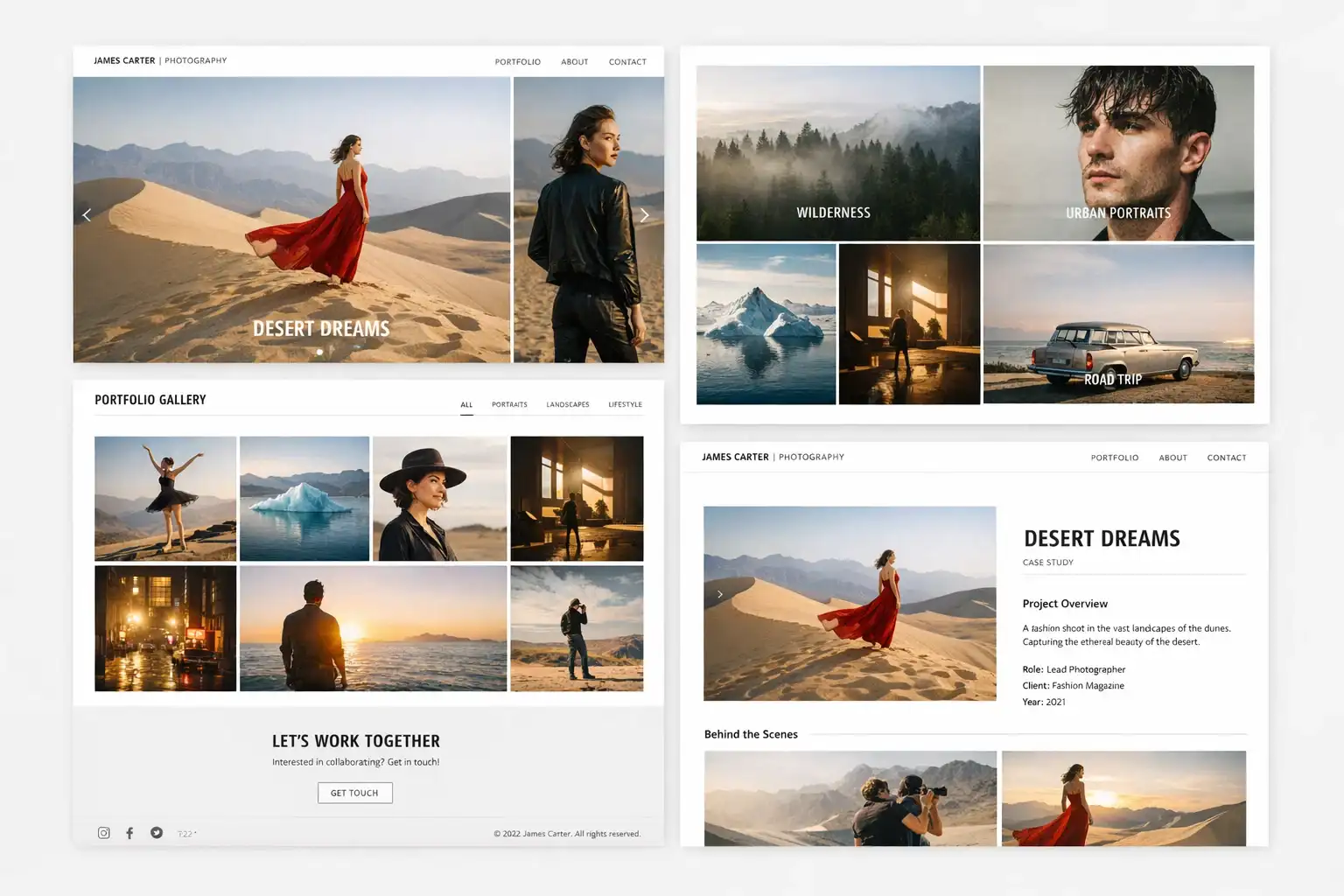
Divi’s visual builder gives creative agencies complete control over portfolio layouts. Project pages, case study templates, client testimonials, and service pages can all be designed without touching code. The Divi AI assistant is particularly useful for writing project descriptions – a common time sink for agencies. The portfolio module with filters lets visitors sort work by category, client, or service type.
Price: $89/yr | Portfolio Layouts: Unlimited | Best for: Agencies, multi-discipline
2. Kalium – Best Premium Portfolio Theme
Kalium is one of the most visually refined portfolio themes available. The work showcase layouts are genuinely elegant – full-screen project previews, smooth hover transitions, custom cursor effects, and a clean navigation that keeps focus on the work. The portfolio filtering system is among the best implemented you’ll find, and the typography options are extensive. Strong choice for designers and illustrators.
Price: $59 one-time | Portfolio Layouts: 20+ | Best for: Designers, illustrators
3. Salient – Best for Visual Storytelling Portfolios
Salient brings motion and visual drama to portfolio presentation. Parallax effects, sticky side navigation, video background headers, and animated counters create a high-production-value feel without requiring custom development. It’s particularly strong for agencies that want their website to feel as polished as the work they’re selling.
Price: $60 one-time | Portfolio Layouts: 15+ | Best for: Visual storytellers
4. Astra + Portfolio Starter Template – Best Free Starting Point
Astra’s portfolio starter templates give you a professional portfolio starting point without any cost. The templates are clean, minimal, and designed to put your work first. Combined with the free Envision portfolio plugin or simply the native WordPress gallery blocks, Astra provides a capable portfolio setup that doesn’t require a premium investment to launch.
Price: Free | Portfolio Layouts: 5+ templates | Best for: Budget-conscious freelancers
5. Inspiro – Best for Photography Portfolios
Inspiro was built for photographers and visual artists. Full-screen image backgrounds, smooth portfolio filtering, video support, and a clean minimal layout that lets photography speak for itself. The free version is more capable than most free portfolio themes; the PRO adds parallax effects, a customisable slider, and more project page layouts.
Price: Free/Pro | Portfolio Layouts: 10+ | Best for: Photographers
6. Bridge – Best for Agencies with Complex Portfolios
Bridge is a premium theme with one of the largest demo library selections of any portfolio theme – over 600 pre-built demos. For agencies that need to showcase work across multiple disciplines – web design, branding, photography, video – Bridge’s layout options cover every scenario.
Price: $69 one-time | Portfolio Layouts: 60+ | Best for: Full-service agencies
7. Oshine – Best for Freelancers
Oshine strikes a balance between visual polish and ease of setup. The Tatsu page builder (included) is straightforward enough for non-developers, the portfolio grid options are genuinely creative, and the 20+ demo sites cover a wide range of creative disciplines. For freelancers who want to look established without a big investment, Oshine delivers.
Price: $59 one-time | Portfolio Layouts: 25+ | Best for: Freelancers
Portfolio Theme Comparison Table
| Theme | Price | Portfolio Layouts | Video Support | Best Creative Type |
|---|---|---|---|---|
| Divi | $89/yr | Unlimited | Excellent | Agencies, Multi-discipline |
| Kalium | $59 one-time | 20+ | Good | Designers, Illustrators |
| Salient | $60 one-time | 15+ | Excellent | Visual Storytellers |
| Astra (Free) | Free | 5+ templates | Basic | Budget-Conscious Freelancers |
| Inspiro | Free/Pro | 10+ | Excellent | Photographers |
| Bridge | $69 one-time | 60+ | Excellent | Full-Service Agencies |
| Oshine | $59 one-time | 25+ | Good | Freelancers |
Gallery and Project Presentation Tips
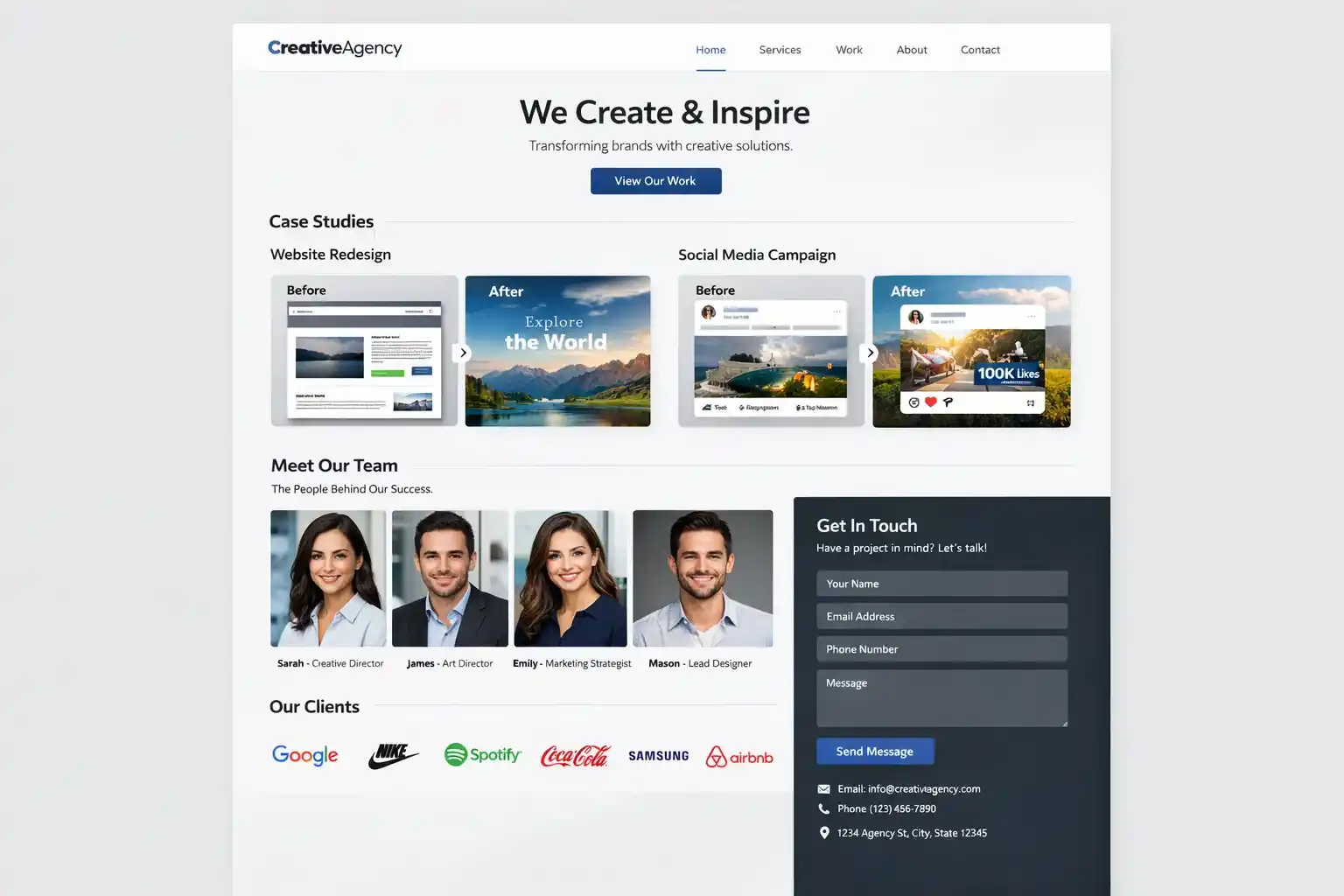
- Write a case study for each project – context, problem, solution, and outcome
- Use 3 to 5 images per project at most – quality over quantity is always better
- Include the tools and technologies used – clients scanning for specific skills will notice
- Add a clear call-to-action at the bottom of every project page
- Keep project thumbnails consistent in aspect ratio so your grid looks intentional
- Mobile-test every portfolio page – clients often browse portfolios on phones
Freelancer vs Agency Portfolio Needs
| Need | Freelancer Priority | Agency Priority |
|---|---|---|
| Contact ease | Very High | High |
| Work showcase quality | High | Very High |
| Pricing information | Medium | Low |
| Team/company section | Low | High |
| Service pages | Medium | Very High |
| Case study depth | Medium | Very High |
| Client logos | Low | High |
Frequently Asked Questions
How many projects should I show in my portfolio?
Quality over quantity, always. Eight to twelve of your absolute best projects creates a stronger impression than twenty average ones. Potential clients rarely view more than five to six projects before deciding whether to reach out. Curate aggressively.
Should my portfolio have a blog?
A blog adds real SEO value and shows potential clients that you’re engaged with your industry. Posts about your process, design decisions, or case studies in article form can rank for search terms your clients use. If you commit to posting consistently, yes. If it’ll sit empty, skip it and invest in better project case studies instead.
Do I need a custom domain for my WordPress portfolio?
Yes. A custom domain looks more professional and is necessary for a credible portfolio. Domain registration costs about $12 per year and is one of the best investments a freelancer can make.
Which portfolio theme is best for developers?
Developers often prefer cleaner, more minimal themes because the code itself is the product. Astra with a minimal template, GeneratePress with a custom CSS layer, or Twenty Twenty-Five with block patterns can all work well.
Can I password-protect parts of my portfolio?
Yes. WordPress has built-in password protection for individual pages and posts. This is useful for showing work that’s under NDA or not yet launched publicly.
How do I get my portfolio to rank on Google?
Focus on long-tail service keywords like “freelance web designer for [industry]” or “logo design for [niche]”. Add individual case study pages for major projects with detailed descriptions. Ensure your portfolio loads fast – use GeneratePress or Astra for speed. Add testimonials with structured review markup via Rank Math for rich results.