
What Every Blog Theme Must Get Right
A blog lives or dies on readability. Your readers came for your words – the theme’s job is to get out of the way and let those words shine. That sounds simple, but you’d be surprised how many themes manage to make text harder to read rather than easier.
Great blog themes share a few core qualities: comfortable line spacing and font size (ideally 16-18px base, 1.6-1.8 line height), smart content width that isn’t too narrow or too wide (650-750px is the sweet spot), fast loading so readers don’t bounce before the content appears, and a clean sidebar or no sidebar at all so nothing competes with the reading experience.
In 2026, the best blog themes also support block patterns for in-article elements – pull quotes, callout boxes, author bios – and work smoothly with the Gutenberg editor. Most content creators are using the block editor now, and your theme should make that experience feel natural.
Beyond readability, Google’s Core Web Vitals have made speed a non-negotiable ranking requirement. A blog theme scoring below 85 on mobile PageSpeed is actively hurting your chances of ranking for competitive keywords. Every theme in this guide has been tested on a clean WordPress install against identical content.
Top Blog WordPress Themes in 2026
1. Kadence – Best for Bloggers Who Want AI Help
Kadence’s blog focus has sharpened in 2026. The AI starter site feature is particularly useful for bloggers – describe your niche and style, and Kadence generates a complete blog layout with suggested typography and colour schemes. Beyond the AI gimmick, the underlying theme is genuinely excellent: fast, block-ready, with a typography system that makes long-form content easy to read.
The free version handles a typical blog well. The Pro adds a WooCommerce booster (useful if you sell digital products), more header options, and advanced typography controls. For bloggers who monetise through digital products or services, this is particularly appealing.
Mobile PageSpeed: 95 | Best for: Niche blogs, digital product sellers | Price: Free / Pro from $79/yr
2. Astra – Best for Starter Templates
Astra has several blog-specific starter templates that look genuinely professional out of the box. The blog layouts prioritise content, with feature image options that draw attention without overwhelming. The typography is configurable enough to feel personal, and the performance is excellent throughout.
One of Astra’s underrated blog features is its post layout options – you can choose between a grid, list, or masonry layout for your blog archive without touching code. That kind of flexibility normally requires a plugin or a premium theme.
Mobile PageSpeed: 96 | Best for: General blogs, beginners | Price: Free / Pro from $47/yr
3. GeneratePress – Best for SEO-Focused Bloggers
If your blogging strategy is built around organic search, GeneratePress is worth serious consideration. The clean, minimal code structure produces excellent Core Web Vitals scores, which directly supports SEO performance. The typography defaults are clean and readable, and the theme never loads scripts you don’t need.
GeneratePress isn’t the most visually flashy option, but for text-heavy blogs where search ranking matters more than visual spectacle, it’s a strong performer. The open architecture means your SEO plugins (Rank Math, Yoast) work smoothly without any conflicts.
Mobile PageSpeed: 98 | Best for: SEO blogs, content marketing | Price: Free / Premium $59/yr
4. Neve – Best Lightweight Blog Theme
Neve has a dedicated following among bloggers who want a fast, clean reading experience without the complexity of configuring a full design system. The free version provides solid blog typography, archive page layouts, and a simple header structure. The minimal aesthetic keeps attention on content.
Neve’s blog-specific features include related posts display, author info boxes, and post navigation – all the small touches that make a blog feel complete rather than bare.
Mobile PageSpeed: 94 | Best for: Minimalist blogs | Price: Free / Pro available
5. Hemingway Rewritten – Best for Classic Blog Style
Hemingway Rewritten is a popular free theme with a two-column layout that puts content front and centre. The design is deliberately editorial – clear typeface, strong header image support, and a layout that feels like a real magazine rather than a web template. It’s particularly good for travel blogs, food blogs, and lifestyle content where visual storytelling matters.
Mobile PageSpeed: 88 | Best for: Lifestyle, food, travel | Price: Free
6. Vogue – Best for Fashion and Lifestyle Blogs
Vogue (not affiliated with the magazine) is a premium theme built with visual-first blogs in mind. Large hero images, a clean grid layout, social sharing integration, and multiple post formats make it a natural fit for fashion, beauty, travel, and food bloggers. The typography choices are elegant, and the mobile experience is genuinely good.
Mobile PageSpeed: 86 | Best for: Fashion, beauty, lifestyle | Price: Premium
7. Baskerville 2 – Best for Personal Blogging
Baskerville 2 is a free WordPress theme with a sophisticated, editorial feel. It uses beautiful typography, full-width header images, and a clean reading layout that makes personal writing feel significant. It’s minimal without feeling empty, and it pairs beautifully with photography. One of the better free options for personal storytelling blogs.
Mobile PageSpeed: 87 | Best for: Personal blogs, storytelling | Price: Free
Blog Theme Comparison Table
| Theme | Free? | Mobile Score | Reading Experience | Best Blog Type |
|---|---|---|---|---|
| Kadence | Yes (Pro) | 95 | Excellent | Niche Blogs, Digital Products |
| Astra | Yes (Pro) | 96 | Very Good | General Blogs |
| GeneratePress | Yes (Pro) | 98 | Very Good | SEO / Content Marketing |
| Neve | Yes (Pro) | 94 | Very Good | Minimalist Blogs |
| Hemingway Rewritten | Free | 88 | Excellent | Lifestyle, Food, Travel |
| Vogue | Premium | 86 | Excellent | Fashion, Beauty, Lifestyle |
| Baskerville 2 | Free | 87 | Excellent | Personal Blogs |
Typography and Reading Experience
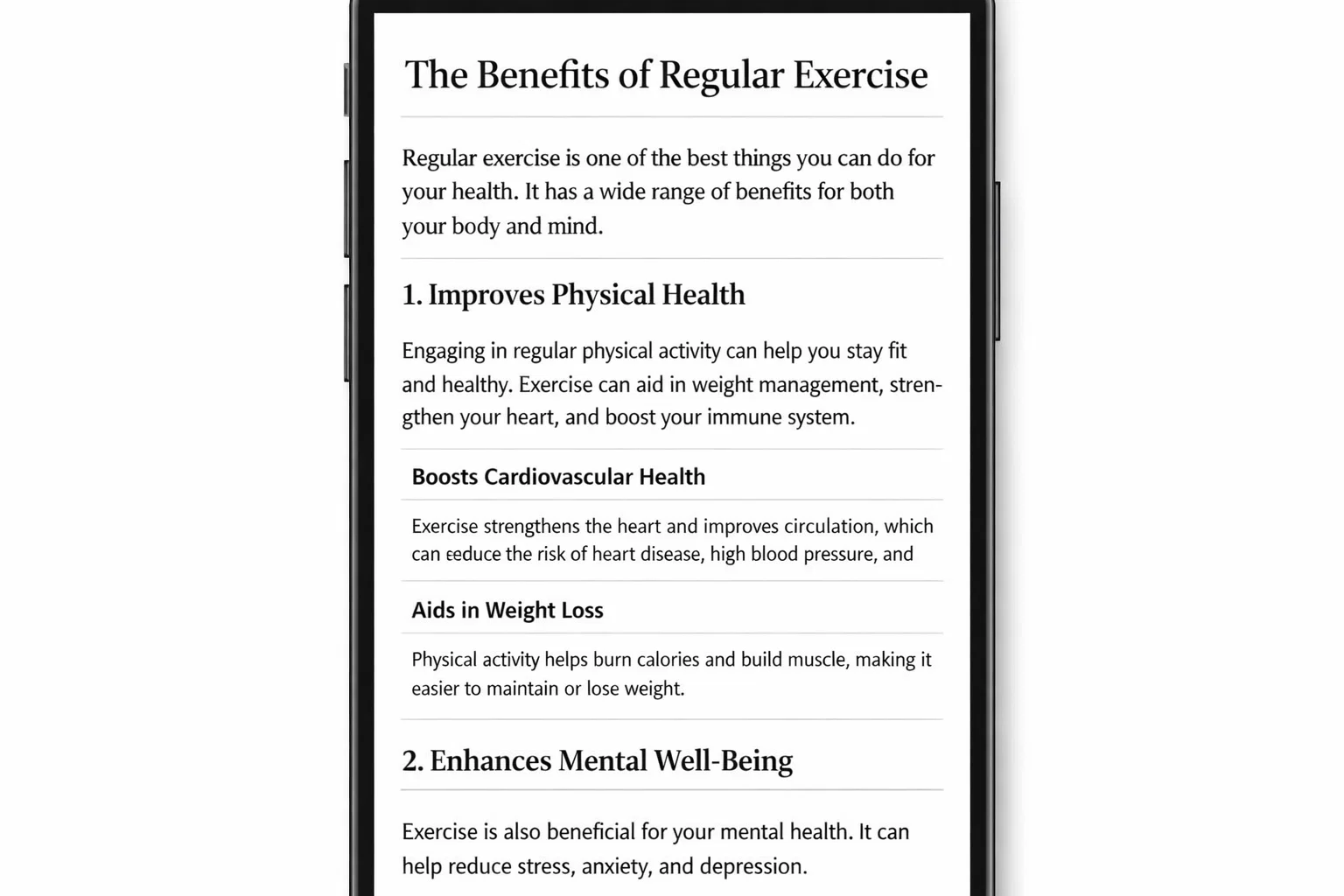
Typography is the most important design element in any blog theme. Here’s what to look for and how to evaluate it before committing to a theme:
| Typography Element | Recommended Value | Why It Matters |
|---|---|---|
| Base Font Size | 16-18px | Smaller text strains eyes, especially on mobile |
| Line Height | 1.6 to 1.8 | Too tight = tiring to read; too loose = disjointed |
| Content Width | 650-750px | Wider lines reduce reading speed and comprehension |
| Paragraph Spacing | 1.5x line height | Visual breathing room between ideas |
| Heading Contrast | High contrast from body | Helps readers scan and navigate long posts |
| Font Pairing | Serif body + Sans-serif headings | Classic readable combination |
SEO-Focused Blog Design Tips
Your theme choice directly impacts how well your blog ranks. Beyond picking a fast theme, these specific design decisions affect SEO:
- Use a theme with proper heading hierarchy – H1 for title, H2 for main sections, H3 for subsections
- Ensure your theme outputs clean, semantic HTML – check with a validator or view source
- Pick a theme with schema markup support for articles, or use a plugin like Rank Math that adds it
- Enable breadcrumb support for long-form content categories
- Verify your theme doesn’t override canonical tags set by your SEO plugin
- Test mobile usability – Google uses mobile-first indexing, so mobile matters more than desktop for rankings
Blog Theme vs Magazine Theme: Which Do You Need?
Blog themes and magazine themes look similar on the surface, but they’re optimised for different things. A blog theme is built around individual post reading – one article at a time, with a focus on typography, white space, and a comfortable reading pace. A magazine theme is built around content discovery – browsing headlines, scanning categories, jumping between stories.
If you’re a solo writer or small team focused on in-depth articles, a blog theme serves you better. If you’re running a content hub with multiple writers, multiple categories, and dozens of posts published per week, a magazine theme gives you the layout tools to surface content effectively.
Many bloggers start with a blog theme and switch to a magazine theme when their content volume grows. That’s completely normal – just be prepared for some layout reconfiguration when you make the switch.
Frequently Asked Questions
Which WordPress theme is best for a new blogger?
Astra or Kadence are both excellent starting points for new bloggers. They’re free, fast, easy to customise through the WordPress Customizer, and have starter templates that make your blog look professional from day one. Kadence’s AI setup feature is particularly helpful if design decisions feel overwhelming.
Can I change my blog theme without losing content?
Yes, your content (posts, pages, comments) is stored in the database and doesn’t change when you switch themes. What you might lose is custom styling applied through your previous theme’s options, widget content in sidebars, and any theme-specific shortcodes that won’t work in the new theme. Always test a theme switch on a staging site first.
How do I make my WordPress blog look more professional?
Three things make the biggest visual difference: a consistent colour scheme (pick 2-3 colours and stick to them), professional typography (use Google Fonts and keep to 2 font families maximum), and a high-quality header image or logo. Most blog themes let you control all three through the WordPress Customizer.
Do I need a premium theme for my blog?
No, many successful blogs run on free themes their entire life. The question is whether the free version of a theme covers what you actually need. Start free, and upgrade only when you hit a specific limitation that a paid upgrade solves.
Should my blog theme have a sidebar?
It depends on your content and monetisation strategy. Sidebars are useful for ad placements, category navigation, and email signup forms. However, for long-form content marketing where reading experience is the priority, a sidebar-free layout often performs better. Many themes let you choose per-post or globally.
What is the best WordPress blog theme for AdSense monetisation?
Themes with dedicated ad zones in the sidebar, after the first paragraph, and between posts perform best for AdSense. Astra Pro, Kadence, and GeneratePress all support custom widget areas that work well with AdSense units. Avoid themes that load slowly – slow pages mean lower RPM rates from Google.
Which blog theme is best for AI search visibility in 2026?
Themes that output clean semantic HTML, proper Article schema, and clear heading hierarchy give AI crawlers (used by ChatGPT, Perplexity, and Google SGE) the structural signals they need to understand your content. GeneratePress and Astra with Rank Math configured produce the cleanest markup for AI search indexing.